
HalalCheck
Understand what’s
in your food.
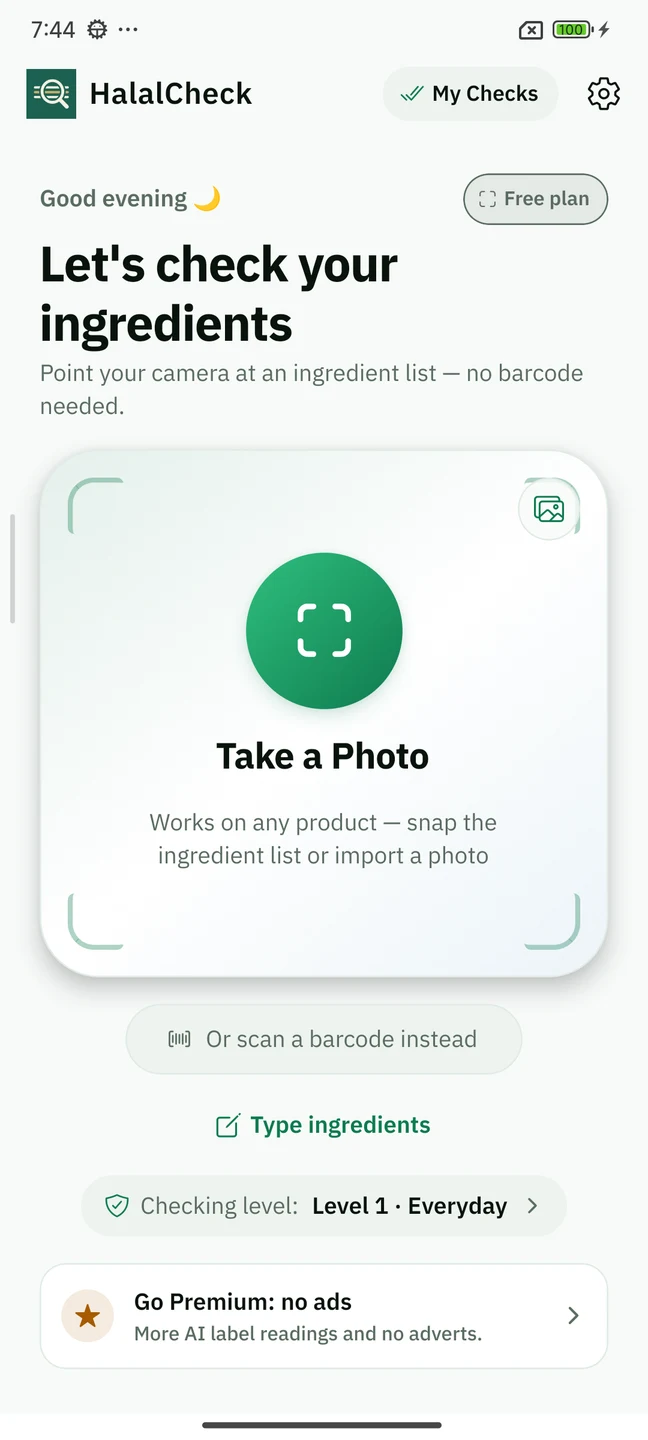
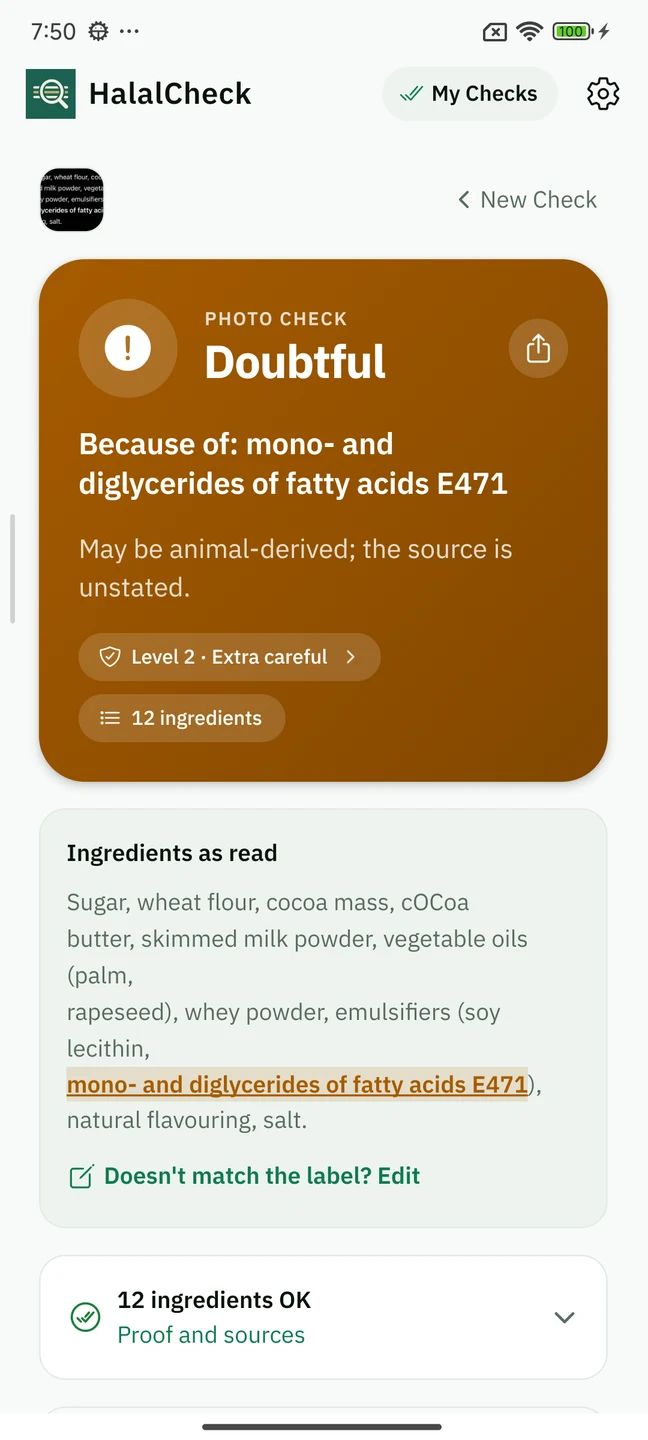
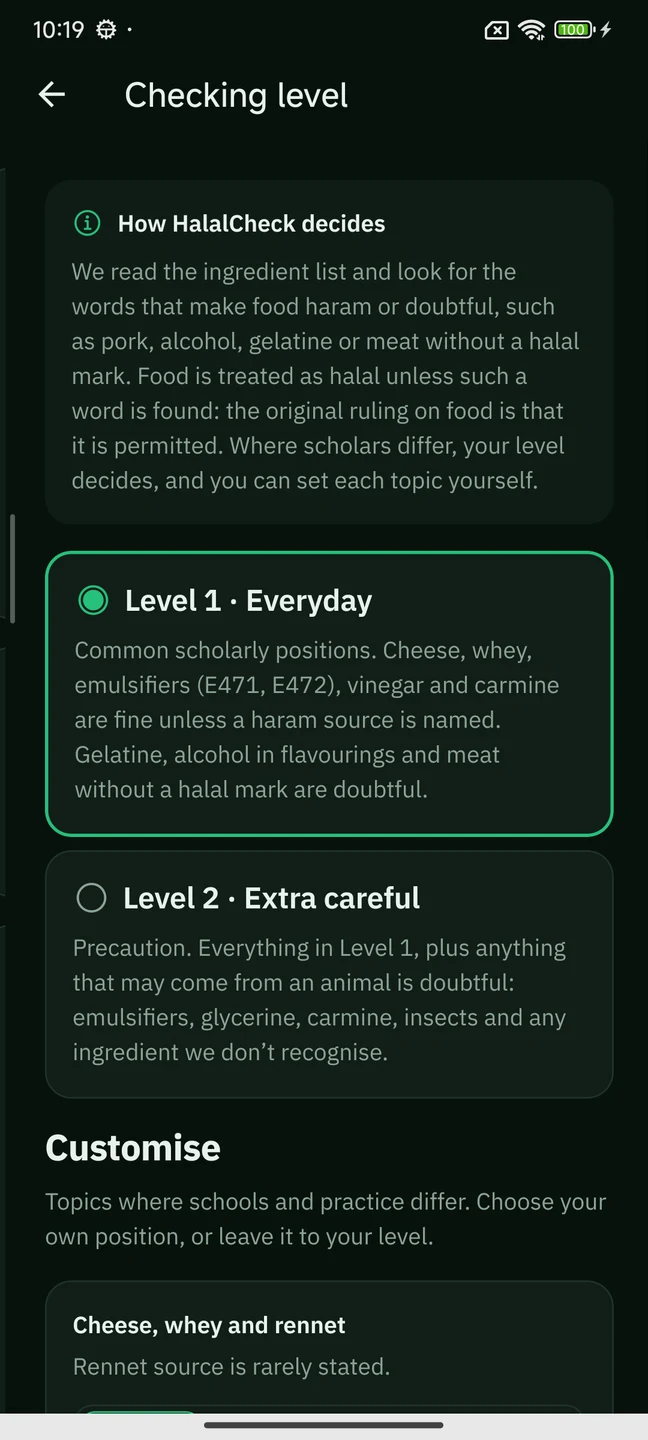
Photograph the ingredient list, scan a barcode or enter the text. HalalCheck highlights ingredients to check and explains its findings using referenced rules and your chosen checking level.
A free experience with optional Premium. Privacy Policy for Android
Inside HalalCheck
See the label. Review the details.
How it works
Three steps. A more informed choice.
Capture the ingredients
Take a clear photo, scan the barcode or enter the ingredient text.
Review the text
Crop carefully and confirm that the full ingredient list has been read.
Understand the result
Review the highlighted ingredients and explanation; save the check if useful.
A few useful answers
Before your first check.
Is HalalCheck a halal certificate?
No. It helps you review ingredients and references; it does not certify products.
Why review the scanned text?
Blurry, folded or incomplete labels can lead to missing ingredients. Review and correct the full ingredient list before relying on a result.
Do my checks stay on my phone?
Saved history is local. Optional cloud operations and barcode lookup process some information online. Read the Android privacy policy for details.
Can it read other languages?
Supported local recognition varies. Optional cloud reading or translation requires consent and an internet connection. The interface supports English, Arabic, French, Turkish, Urdu, Indonesian and Malay.
Do I need an account?
Basic local checks do not require one. Account and Premium features depend on availability.
How do I contact support or request deletion?
Email halalcheck@damoorapps.com. You can request account deletion without reinstalling the app.